
How the move works.
What moves, who does the work and how you check it.
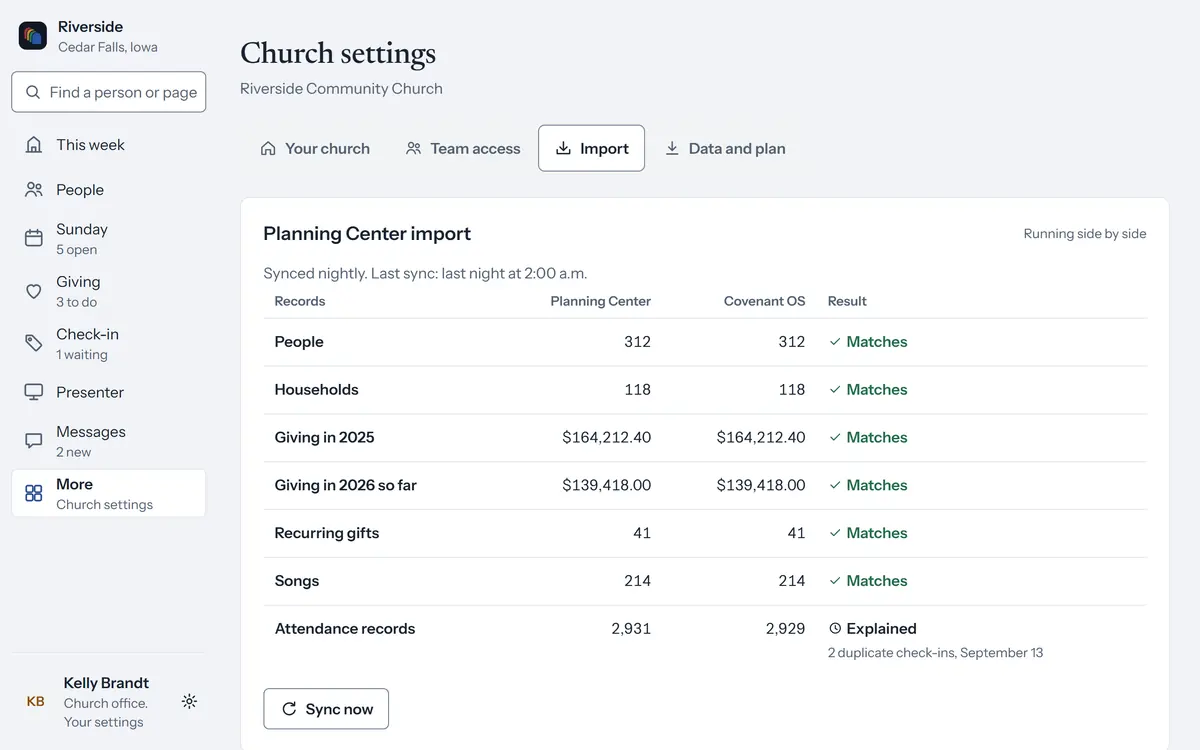
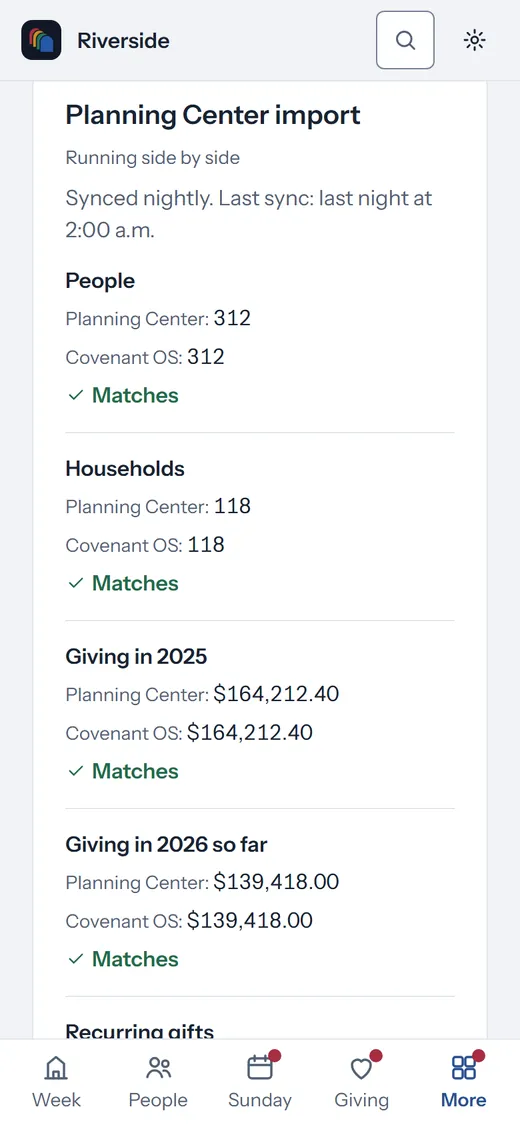
Four steps.
- Connect the old systemSign in with Planning Center, or add your Breeze key. Other systems send their export files.
- Covenant OS brings your church acrossPeople, households, groups, services, songs, schedules, check-in history and giving.
- Check every countA checklist compares each count and giving total with the old system and lists any difference.
- Run both, then turn the old one offRecurring gifts move one giver at a time, and you turn off the old system when every line matches.
Who does it.
Covenant OS does the setup, the move and your website at no charge. Write to us, and a person on our team walks you through it on a call.
Coming from Pushpay or Church Community Builder?
Covenant OS is month to month with no cancellation fee, and gifts settle in your church’s own Stripe account. We bring in your people, households and groups from your export files, with their history.
The beta opens December 1, 2026.
Join the list, and we’ll write to you that day. Churches in the beta use the church plan free while the beta lasts.
You are on the list.
We send a confirmation email shortly, and we write once more on December 1, 2026.
Thank you. You are on the list, and we write on December 1, 2026.
The opening list has closed.
A confirmation now and one email on December 1. Every email has a link to leave the list. The list ends December 31, 2026, and we then delete our signup records. Privacy